
How to Use DetectraPro’s Analyse This Area Tool
A step-by-step introduction to examining mapped historical evidence in a selected area.
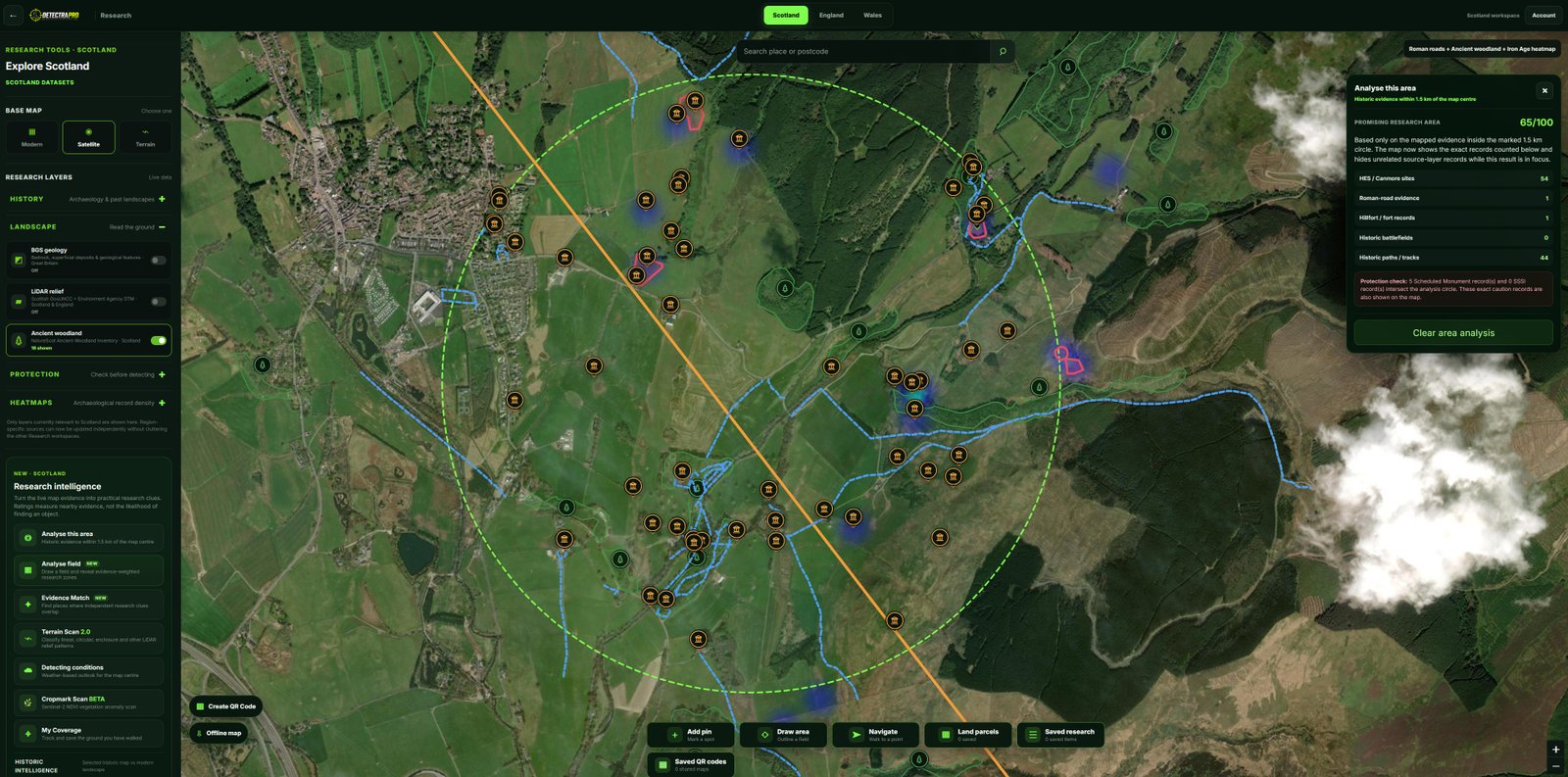
Illustrations should use genuine research screenshots. Research evidence does not guarantee finds.
Open the research map
Sign in to DetectraPro and open the appropriate country research map. Free accounts can explore the tools in the designated demo area; wider map access requires a subscription.
Choose a manageable area
Navigate to a location you want to investigate. Select Analyse This Area and draw the analysis circle using the on-screen controls. Keep the circle small enough to review results meaningfully.
Review the results
Read the evidence summary and inspect individual records where available. The number and type of results depend on the underlying data and the area selected.
Compare the layers
Toggle relevant historic sites, roads, footpaths and map-change tools to understand the context. A result on the map is an invitation to check its source and location accuracy.
Refine your question
Move or redraw the circle to compare nearby areas. Record what changes and which sources support your interpretation. For a full control-by-control walkthrough, use the DetectraPro Research Guide.
Put your research into practice
Try DetectraPro’s research tools in the free demonstration area, or read the full guide to using each map feature.
Always obtain landowner permission and check relevant protections, restrictions and finds-reporting obligations before detecting.